
Defects get fixed, not just found.
A checklist filled in on paper and filed away doesn't fix anything on its own. FlexManager's Equipment Inspections module allows you to capture photos, checklists, and a digital inspector signature on site. You can also put assets on a repeating schedule, by interval, and trigger corrective action or preventive maintenance the moment an issue turns up.
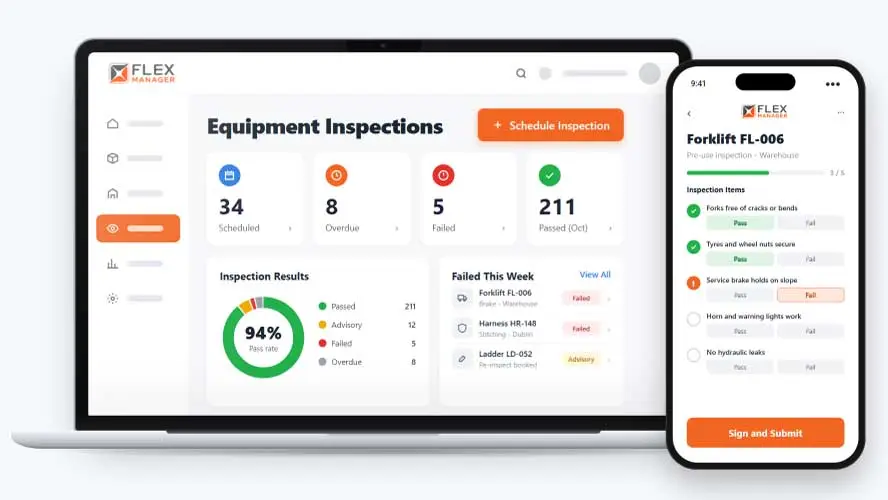
An inspection that finds a problem is only useful if someone fixes it. Too often the checklist gets completed, a fault is marked, and that’s where it stops. Someone has to notice the failed item, raise a repair job separately, chase up parts, and remember to check back later.
Paper checklists
Clipboards pile up in cabins and drawers, and the answers are hard to find when someone asks.
Spreadsheets of due dates
Someone has to remember to look, so a missed date only shows up after the fact.
Emailed defect reports
A defect is reported, forwarded and forgotten, and nobody can say who owns the fix.
Key features & benefits
Scheduled, Trackable Inspections
Schedule and track regular inspections of your equipment and infrastructure, so a due inspection is never simply forgotten about and every asset stays in good working order.
Mobile-to-Desktop Capture
Capture inspection data on a phone out in the field and send it straight to desktop for real-time visibility from inspection through to resolution.
Photo, Video. & Checklist Records
Document conditions with photos, video, and checklist-based digital forms, cutting down on paperwork and giving you accurate reference material for later.
Certificate Confirmation
Issue a completion certificate for each passed inspection.
Corrective Action & Maintenance Integration
Trigger corrective actions or repairs straight from an inspection's results, integrated with preventive maintenance schedules so an identified issue leads to action rather than sitting in a report.
From schedule to fix
One inspection type sets the checklist, the schedule, and what happens when something fails.
Schedule
Assets can sit on a repeating schedule, by interval or fixed days.
Inspect
Work through your checklist on the web or the mobile app, with photos and signatures.
Score
Score pass or fail against the answer you expect; grade failures as hard or advisory, where enabled.
Fix
Turns failures into maintenance jobs or work orders.
See Equipment Inspections in action.
Bring a real case to the demo. We will build it live.
Built for anyone who signs off on equipment condition
Safety, fleet, and maintenance teams work from the same inspection record, from the checklist to the fix.
HSEQ Manager
Can see failures marked as hard or advisory, where enabled, so they have a clear picture of how things stand.
Fleet and Equipment Manager
Puts assets on schedules, builds checklists, and copies them across categories; sees failures become maintenance jobs or work orders.
Maintenance Supervisor
Receives failures as maintenance jobs or work orders that name the failed question, and can schedule a re-inspection after the repair.
Site Inspector
Works through the checklist on the web, the mobile app or, for subcontractors, the external portal.
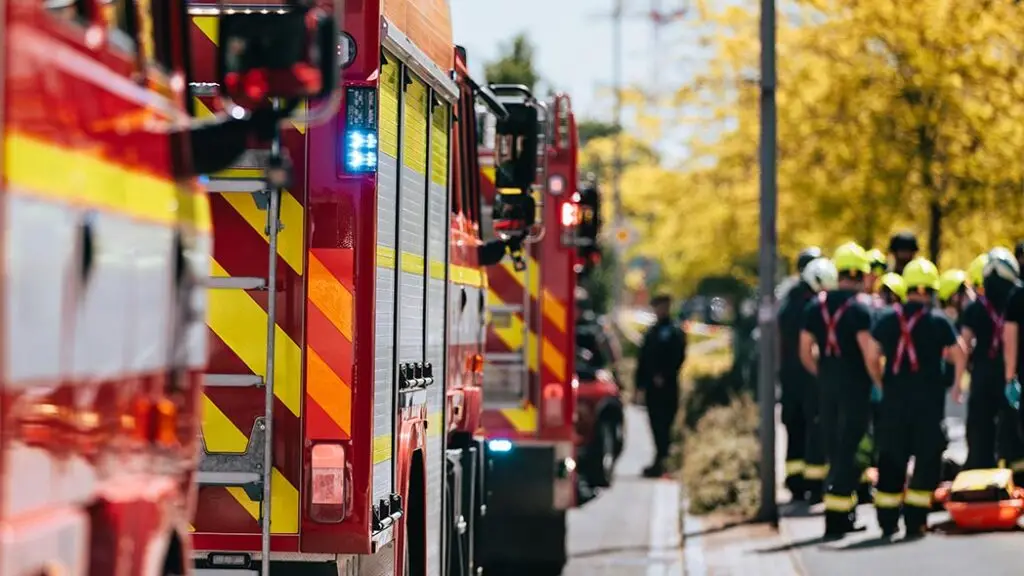
Galway Fire Service
FlexManager presented a means of digitising inspections and audits, reducing the time needed to record and also locate key information relating to their fleet. All issues, actions, and resolutions are captured in a single record, with a consistent format outlined for audits and vehicle inspections to ensure all bases are covered.
Onboarding built around your needs. We're ready when you are.
We work to your pace and your team's availability. Your dedicated onboarding specialist takes care of the setup, so getting started stays simple.
Configuration
We configure FlexManager around your procedures.
Training
Short, role-based sessions for admins and field teams. Most users are confident after their first use.
Go Live!
Start with one site or roll out everywhere at once. Your account manager stays with you after launch.
Get started with Equipment Inspections










Frequently Asked Questions
What does FlexManager's Equipment Inspections module do?
It lets teams schedule, carry out and record inspections of equipment and infrastructure, capturing photos, checklists and a digital inspector signature on site. Results are geo-tagged to their location and can trigger a corrective action or preventive maintenance directly, so an inspection leads to a resolved outcome rather than a filed checklist.
Can equipment inspections be carried out on a phone?
Yes. Inspection data can be captured on a phone out in the field, and it’s sent straight to desktop for real-time visibility, so an inspector on site and someone managing follow-up back at the office are looking at the same up-to-date record.
What happens when an inspection finds a problem with an asset?
A corrective action or repair can be triggered straight from the inspection’s results, and inspections are integrated with preventive maintenance schedules, so an issue found on site leads directly to a maintenance job rather than sitting in a report waiting to be actioned.
Are equipment inspection records tied to where the inspection took place?
Yes. Inspections are confirmed against geo-tagged, location-linked records, so it’s straightforward to find and verify exactly where and when a given inspection happened, which matters if those details are ever needed again for a review or a record request.
Does the module reduce paper-based inspection records?
Yes. Inspections are captured using digital forms, photos and video rather than paper, cutting down on paperwork and giving you accurate, storable reference material instead of a form that can be lost or damaged on site.
How is an inspection signed off once it's complete?
The inspector’s signature is captured digitally at the point of completion, which eliminates the need for a paper record and gives every inspection a clear, accountable sign-off the moment it’s finished rather than a form waiting to be filed away.
What other FlexManager modules connect with Equipment Inspections?
It connects with Asset Maintenance, Task Manager and Stock Management, so a flagged inspection issue can move straight into a maintenance job, a task assignment, or a parts request without needing to be re-entered somewhere else.
Why choose FlexManager for equipment inspections?
FlexManager has been building practical compliance software since 2011, with hands-on HSEQ expertise behind every module we build. FlexManager is certified to ISO 9001, ISO 14001, ISO 27001 and ISO 45001 certification. For equipment inspections specifically, that ISO 45001 health and safety grounding is why the module treats an inspection finding as the start of a corrective action, not the end of the process.