
Findings become tasks, not notes.
Paper-based inspections are slow to complete and slower to act on. FlexManager's Workplace Inspections module lets you identify and document issues on the spot, capture photo and video evidence, and sign off digitally, so what's found gets turned into an assigned action rather than a filed form.
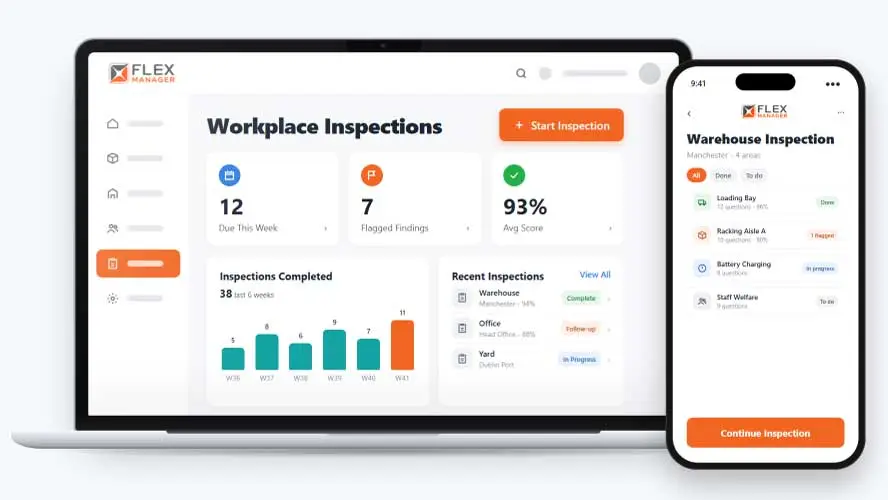
Inspections done on paper or clipboards often lose detail in the field. Findings sit in separate forms that never make it into wider reporting. Corrective actions get noted but not tracked, so issues stay open or come back.
Paper inspection sheets
Sheets fill a drawer, and last month's result is hard to find when someone asks for it.
Findings left on the page
A fail is written down, but nobody is asked to fix it, so it turns up again next time.
Scores nobody can compare
Each site keeps its own sheet and its own tally, so one month cannot be set beside the next.
Key features & benefits
Mobile Offline Capability
Complete an inspection without losing functionality, regardless of location, then review findings and assign actions later from mobile or desktop.
Photo & Video Evidence
Capture visual evidence alongside a finding, giving a clearer record and clearer insight into what was actually observed on-site during the inspection.
Electronic Signature
Capture an inspector's signature on completion, replacing paper records with a clear digital record of who signed off and when.
Corrective Actions
Link each inspection directly to corrective actions, assigning follow-up tasks without needing a separate system to track them down.
Real-Time Findings
Capture findings in real time, so a non-conformity is identified as it happens rather than discovered only after the fact.
Reporting & Analytics
Track trends across inspection findings, identify gaps, and monitor compliance status over time from one connected set of reports.
From checklist to follow-up
Set the checklist up once, then every inspection runs the same way, from the first area to the last follow-up task.
Set up
Build a checklist for one project or share it across all.
Inspect
Pick the areas and the inspector, answer area by area with a corrective action for each fail, and add photos.
Follow up
At this step, each flagged finding becomes a Work Orders task, prioritised by the answer and linked to the inspection.
Score and report
Each area is scored, the owner is alerted with the score, and a PDF report sets it beside earlier results.
See Workplace Inspections in action.
Bring a real case to the demo. We will build it live.
Built for the teams who rely on workplace inspections
Safety, site, and maintenance teams work from the same inspection record, from the first question to the last follow-up task.
HSEQ Manager
Knows that flagged findings become corrective actions, helping ensure a safer workplace.
Maintenance Lead
Finds inspection findings as Work Orders tasks in the inspection category.
Site Inspector
Works through each area, can submit from the mobile app, and records each fail with a corrective action.
Operations Director
Gets scheduled Excel reports of results and open follow-up tasks; with Time Off, inspections assigned during leave reach the delegate.
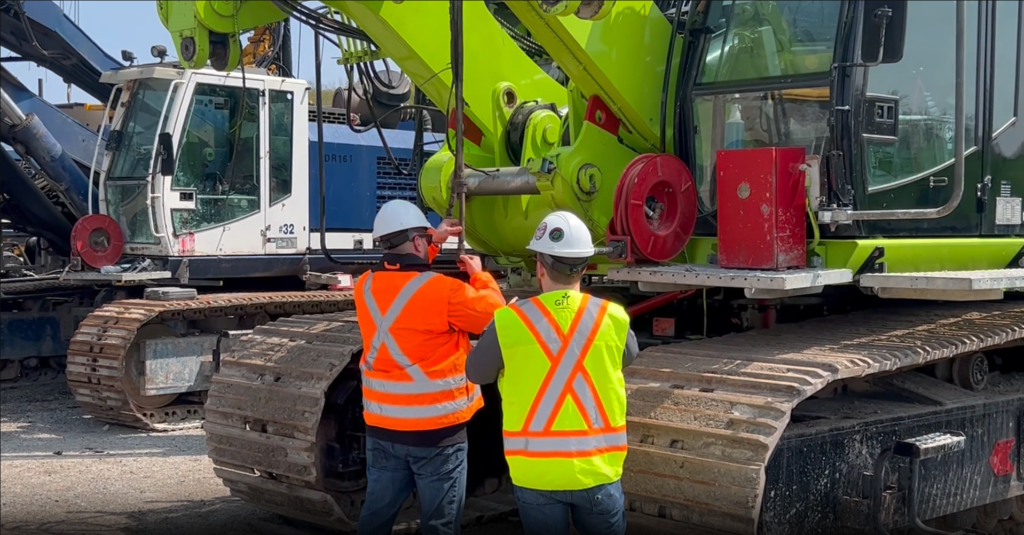
Green Infrastructure Partners
One of Canada’s largest and most diversified infrastructure companies, GIP use FlexManager as a centralised system, in a multi-faceted approach to their operations.
Onboarding built around your needs. We're ready when you are.
We work to your pace and your team's availability. Your dedicated onboarding specialist takes care of the setup, so getting started stays simple.
Configuration
We configure FlexManager around your procedures.
Training
Short, role-based sessions for admins and field teams. Most users are confident after their first use.
Go Live!
Start with one site or roll out everywhere at once. Your account manager stays with you after launch.
Get started with Workplace Inspections










Frequently Asked Questions
What is FlexManager's Workplace Inspections module?
Workplace Inspections is FlexManager’s module for digitizing audits and inspections. It supports offline mobile completion, photo and video evidence, electronic signatures and corrective actions, and connects with Scheduled Reporting, Task Manager and Dashboards to feed findings into wider reporting and follow-up tracking.
Can I complete an inspection without an internet connection?
Yes. Workplace Inspections offers mobile offline capability, so an inspection can be completed without losing functionality regardless of location or connectivity. Findings can then be reviewed and actions assigned later from mobile or desktop once a connection is available.
Can I attach photo or video evidence to an inspection?
Yes. Photo and video evidence can be captured alongside a finding, giving a clearer record for keeping and clearer insight into what was actually observed. This supports the finding itself, rather than leaving it as a written note without visual context.
How does electronic signature sign-off work?
Workplace Inspections captures an inspector’s signature on completion, replacing paper records with a clear digital record of who signed off and when. This supports accountability for a completed inspection without requiring a physical form to be filed or stored.
Are corrective actions linked directly to an inspection?
Yes. Each inspection is linked directly to corrective actions, so follow-up tasks can be assigned without needing a separate system to track them. This means a finding leads to an assigned action rather than sitting in a completed report.
What kind of reporting does Workplace Inspections provide?
Workplace Inspections provides reporting and analytics that track trends across inspection findings, identify gaps, and monitor compliance status over time. This turns individual inspections into a broader picture of recurring issues, rather than a set of disconnected reports.
Why choose FlexManager for your workplace inspections requirements?
FlexManager has supported HSEQ and quality teams running audits and inspections since 2011, shaped by people who’ve actually had to chase down a corrective action after a finding, not just log one. FlexManager is certified to ISO 9001, ISO 14001, ISO 27001 and ISO 45001 certification, and that industry-backed accreditation gives us the know-how we need.