
Know what is on the shelf, and where the rest went.
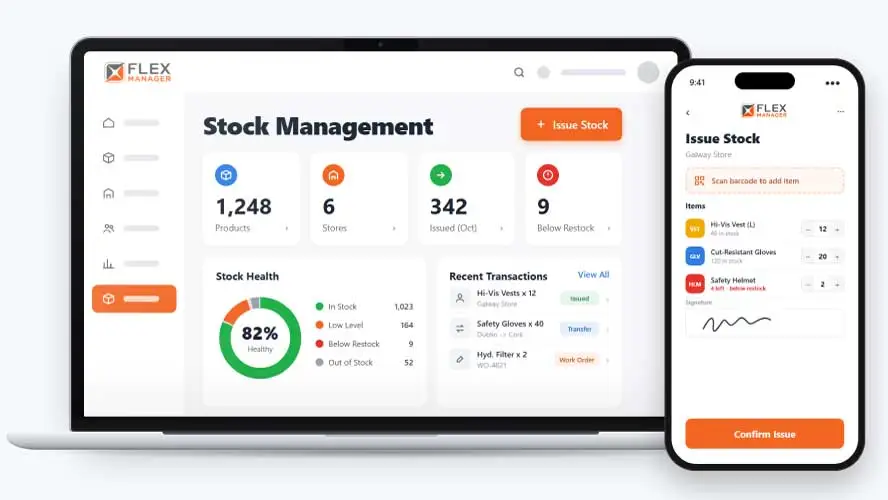
Running out of critical stock mid-job can cost more than the item itself. FlexManager's Stock & Inventory module tracks usage in real time, alerts you before minimum thresholds are hit, and captures a signature on every issue and handover, so oversight of what's on hand is never left to guesswork.
When stock is tracked on its own, it’s hard to tell which parts are tied to which jobs or equipment, so shortages often show up only once work has already stalled. Issues and handovers get recorded on paper or not at all, which leaves no clear record of who took what or when.
Stock sheets
Levels are updated when someone remembers, so the count is out of date by lunchtime.
Nobody signs for it
Parts leave the store with no name against them, and nobody can say where they went.
Costs nobody charges
Parts used on a repair are not charged to the job, so the real cost stays hidden.
Key features & benefits
Mobile Functionality
Record issues and transfers from the mobile app, making it easier to stay on top of what's moving.
Issue Inventory
Manage stock distribution across teams and locations, with clear oversight of exactly what's going out to on-site personnel and when.
Electronic Signature Capture
Capture signatures for approvals and handovers of stock, eliminating paper records while keeping a clear, traceable record of accountability.
Low Stock Alerts
Get proactive notifications before critical items run out, with minimum thresholds you set so there's time to reorder before stock drops too low.
Automated Reporting
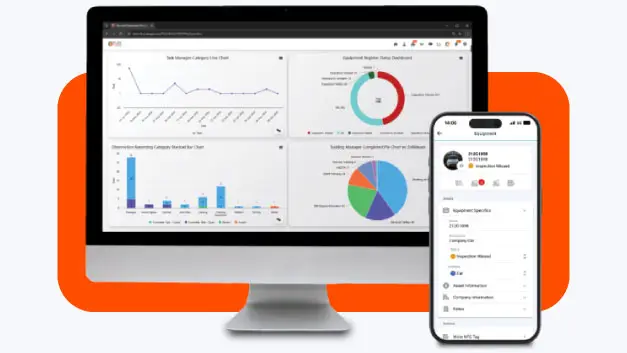
Generate usage and inventory reports instantly, without the manual time it takes to pull the numbers together and format them yourself.
From the shelf to the job
Every movement goes through one issue screen, so the level, the record and the cost stay in step.
Stock in
Book goods in as purchase order deliveries arrive.
Issue
Issue stock to people, work orders, assets and maintenance jobs; capture a signature and photos with every issue.
Watch levels
Colour-coded levels show what is low or below restock; the store's person responsible is alerted when stock runs low.
Account for it
Record issues and transfers from the mobile app; search every stock transaction and export it to Excel.
See Stock Management in action.
Bring a real case to the demo. We will build it live.
Built for the teams who keep stock moving
Stores, maintenance, and site teams work from the same stock record, from the shelf to the job.
Stores Manager
Sees each store's levels, and is alerted when it runs low.
Maintenance Manager
Can issue parts to maintenance jobs so that important work can be carried out for repairs etc.
Site Manager
Hands out stock and assets with a signature, sees what went to whom, and knows stock requests are approved first.
HSEQ Manager
Sees which products link to which safety data sheet, and sees the stock issued to each employee and subcontractor.
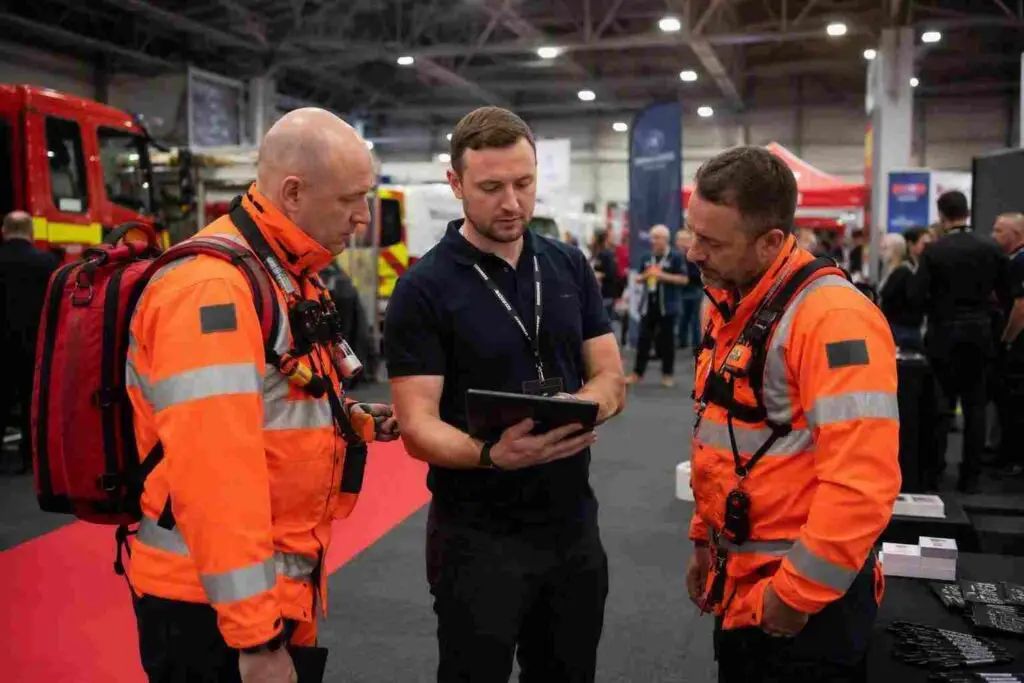
Louth County Fire & Rescue Service
Louth County Fire & Rescue Service implemented FlexManager as a centralised digital solution for asset and stock management. FlexManager enabled the service to schedule and record inspections, track equipment status in real time, and manage stock levels across stations from a single platform.
Onboarding built around your needs. We're ready when you are.
We work to your pace and your team's availability. Your dedicated onboarding specialist takes care of the setup, so getting started stays simple.
Configuration
We configure FlexManager around your procedures.
Training
Short, role-based sessions for admins and field teams. Most users are confident after their first use.
Go Live!
Start with one site or roll out everywhere at once. Your account manager stays with you after launch.
Get started with Stock Management









Frequently Asked Questions
What is FlexManager's Stock & Inventory module?
Stock & Inventory is FlexManager’s module for tracking and controlling stock. It gives real-time low stock alerts, captures electronic signatures for every issue and handover, and generates automated usage and inventory reports, connected to Ta multitude of solutions across the rest of FlexManager.
How do low stock alerts work?
You set a minimum threshold for a stock item, and Stock & Inventory sends a proactive notification once levels drop toward that point. This gives you time to reorder before an item runs out completely, rather than discovering a shortage only once it’s needed on site.
Can I track who stock was issued to?
Yes. Stock & Inventory captures electronic signatures for approvals and handovers of stock, so there’s a clear, traceable record of who received an item and when. This replaces paper sign-out sheets while keeping the same accountability for what’s issued to on-site personnel.
Can I update inventory from the field?
Yes. Inventory levels can be updated on-site through mobile-to-desktop integration, with any change reflected on desktop immediately. That keeps stock counts accurate wherever they’re checked from, rather than relying on a count that’s only updated back at the office.
Does Stock & Inventory generate reports automatically?
Yes. Stock & Inventory generates usage and inventory reports automatically, pulling a complete overview of your inventory instantly rather than requiring it to be compiled by hand. This removes the manual time commitment that usually goes into putting a stock report together.
Does Stock & Inventory help manage supplier engagement?
Stock & Inventory helps streamline supplier engagement by giving you clear, real usage data to work from when managing restocking. Rather than reordering based on guesswork, decisions about what and when to reorder can be based on actual consumption tracked in the module.
Why choose FlexManager for stock & inventory tracking?
FlexManager has helped operations and HSEQ teams manage inventory since 2011, shaped by people who’ve actually run stockrooms and supply chains, not just built tracking software from a spec. FlexManager is certified to ISO 9001, ISO 14001, ISO 27001 and ISO 45001 certification, and that gives us the authority-backed know-how we need.