
Turn your screens into boards that show live data you can rely on.
A dashboard nobody looks at is worse than no dashboard at all. FlexManager's Dashboards & Digital Signage module builds up-to-date boards from incidents, audits, inspections, work orders and more. Each screen, room, or site has its own board, opened by link with no login in any browser, so you're seeing only live data.
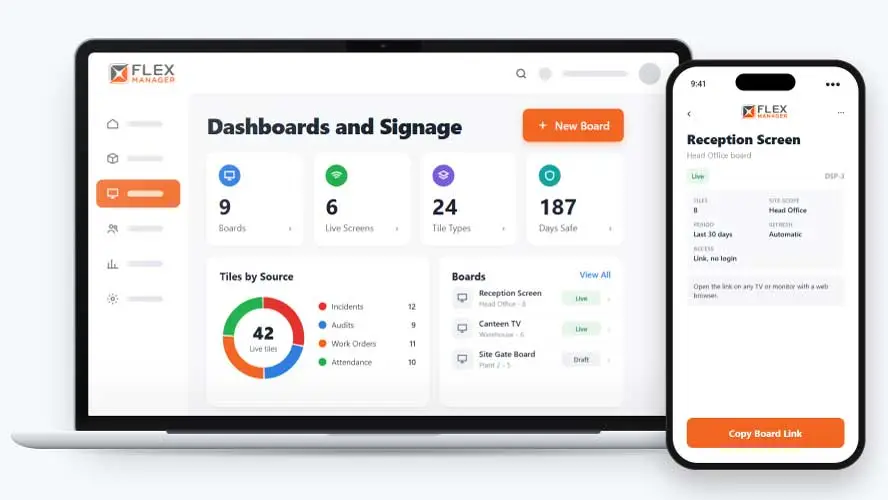
You have so much information across incidents, audits, inspections, and work orders that you could use effectively. But you don’t have the functionality to showcase it as live data. You’re missing out on all those useful insights.
Updated by hand
Someone rewrites the days-without-incident count on a whiteboard, when they remember.
Stale by midweek
Charts are printed and pinned up on Monday and are out of date before the week is out.
No help in an emergency
The canteen TV keeps looping slides while people head for the assembly point.
Key features & benefits
Extensive Functionality
This module works on any screen with a web browser, giving you amazing functionality.
Ease of Use
You're even able to clone a board to set up the next site, saving you admin time.
Automatic Live Data Capture
Feed live data into a dashboard automatically, so figures update in real time rather than needing someone to refresh or re-enter them.
Smart TV & Kiosk Display
Display a dashboard on a TV in a site office or on a FlexManager kiosk at an entrance, so stakeholders can see it without opening a laptop.
Cross-Data Calculations
Combine data streams from different sources into one calculation, giving a deeper operational view than any single data set could show on its own.
From tiles to the wall
Build a board once in the admin screens, open its link on a screen, and it keeps itself current.
Build
Build live boards for screens and open each board from its own link, with no login.
Choose tiles
Pick live tiles from incidents, audits, inspections, and work orders.
Get a glimpse
Show how many are on site today with Time Off; show leave counts for this week and next.
Stays current
Tiles refresh themselves, so you're seeing up-to-date data.
See Dashboards and Digital Signage in action.
Bring a real case to the demo. We will build it live.
Built for anyone who needs performance seen, not buried
From the safety team to the workshop floor, everyone sees the same live figures on the wall.
HSEQ Manager
Gets an overview of days since the last incident, on screen; with Emergency Evacuation every board shows the roll call.
Site Manager
Benefits from knowing how many are on site today and how many are on leave this week.
Maintenance Manager
Keeps inspection results and work order charts in view of the team doing the work.
Facilities Manager
Builds a board once, clones it for the next site, and leaves each screen to update itself.
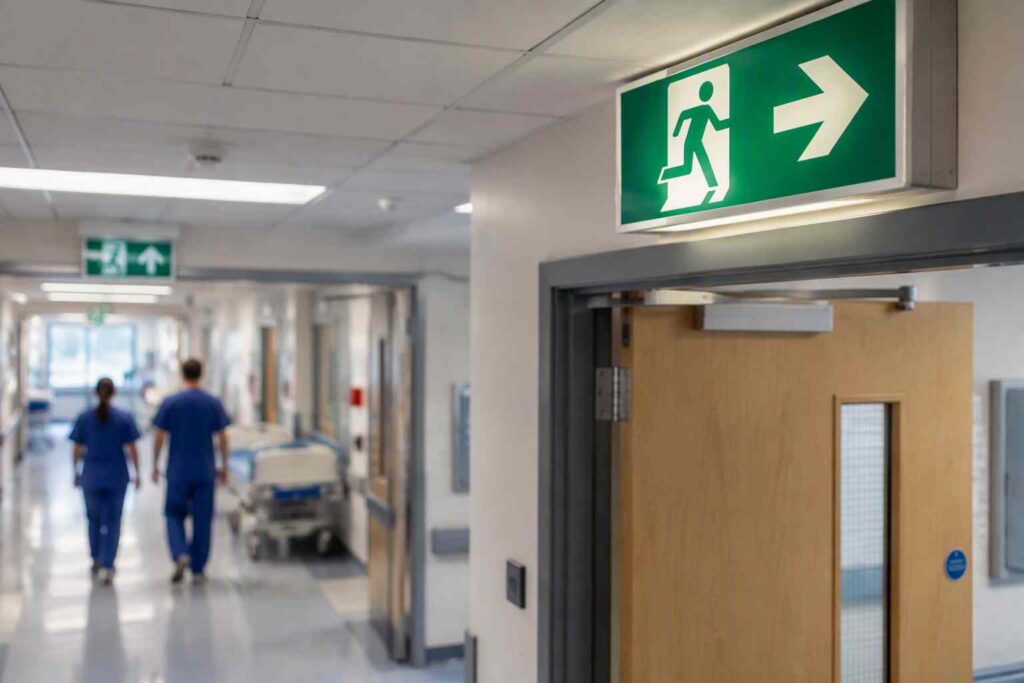
Mater Private Cork
Mater Private Cork sought to streamline their processes and building on data transparency, with areas such as asset management, incident reporting, and paper-based audits being the primary areas in need of improvement
Onboarding built around your needs. We're ready when you are.
We work to your pace and your team's availability. Your dedicated onboarding specialist takes care of the setup, so getting started stays simple.
Configuration
We configure FlexManager around your procedures.
Training
Short, role-based sessions for admins and field teams. Most users are confident after their first use.
Go Live!
Start with one site or roll out everywhere at once. Your account manager stays with you after launch.
Get started with Dashboards and Digital Signage










Frequently Asked Questions
What does FlexManager's Dashboards module do?
It lets you build your own visual dashboard from a library of over 150 widgets, feed it live data automatically, and tailor it to a specific role, project or department, so performance is visible at a glance rather than buried in a report.
How many widgets can I choose from when building a dashboard?
There’s a library of over 150 widgets to build from, so a dashboard can be assembled from a wide range of ready-made building blocks rather than needing something custom-built for every view.
Can different teams or departments see different dashboards?
Yes. Dashboards can be tailored to the specifications of a particular role, project or department, so each audience sees the view that’s actually relevant to them rather than one generic screen for everyone.
Does the dashboard update automatically, or do I need to refresh it?
Live data is fed into the dashboard automatically, so figures update in real time rather than needing someone to manually refresh or re-enter them.
Where can a dashboard be displayed?
A dashboard can be shown on a TV in a site office or on a FlexManager kiosk at an entrance, as well as on a desktop, so stakeholders can see it without needing to open a laptop.
Can I combine data from more than one source in a single view?
Yes. Cross-data calculations let you combine different data streams into one view, giving a deeper operational picture than looking at any single data set on its own.
Can a dashboard help with safety monitoring specifically?
Yes. Safety KPIs and leading indicators can be monitored on a dashboard, helping potential issues get spotted early so they can be addressed proactively rather than after something’s already gone wrong.
Why choose FlexManager for dashboards and digital signage?
FlexManager has been building practical compliance software since 2011, with hands-on HSEQ expertise behind every module we build. FlexManager is certified to ISO 9001, ISO 14001, ISO 27001 and ISO 45001 certification. For site-wide displays specifically, that means the data on your screens is drawn from the same audited compliance modules our certifications cover, not a disconnected reporting layer.