
The right people through the right doors.
A panel built for FlexManager. It runs two doors and two card readers, keeps working without a connection, and sends every scan, with a photo, to the record.
- Works offline
- Remote unlock
- Photo on every scan
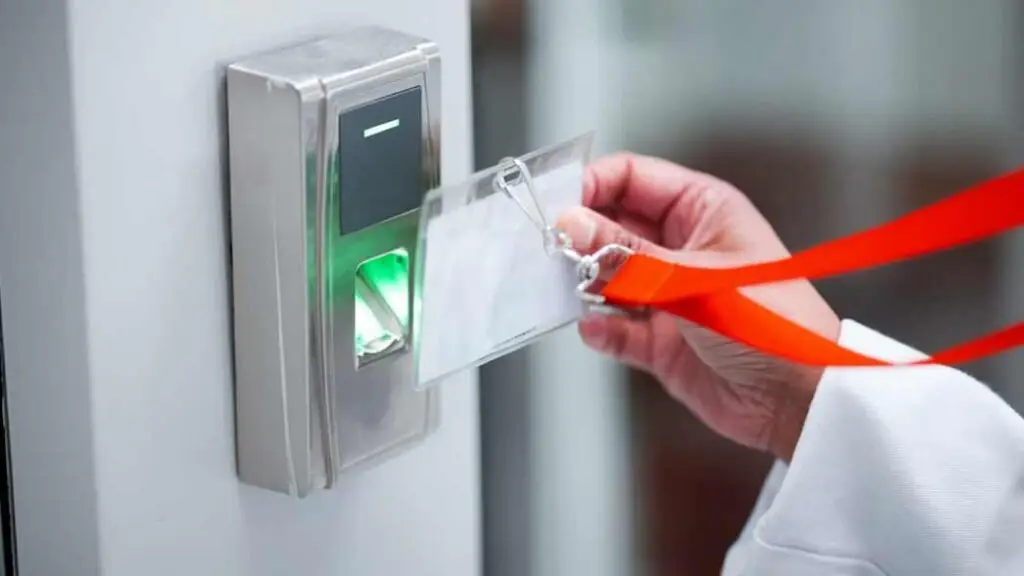
How it works.
- 1
Grant
Access by person, group or contractor company, or site-wide on a completed induction.
- 2
Scan
The panel checks the card against the permissions it holds, even with no connection.
- 3
Open
The door, barrier or turnstile opens, and the scan is logged with a photo.
- 4
Revoke
A leaver or a deactivated contractor is switched off at every door.
Who uses it.
Employees
Tap their card and go, through the doors their role and training allow.
Contractors
Get through the gate once their company is approved and the induction is done, and not before.
Security and facilities teams
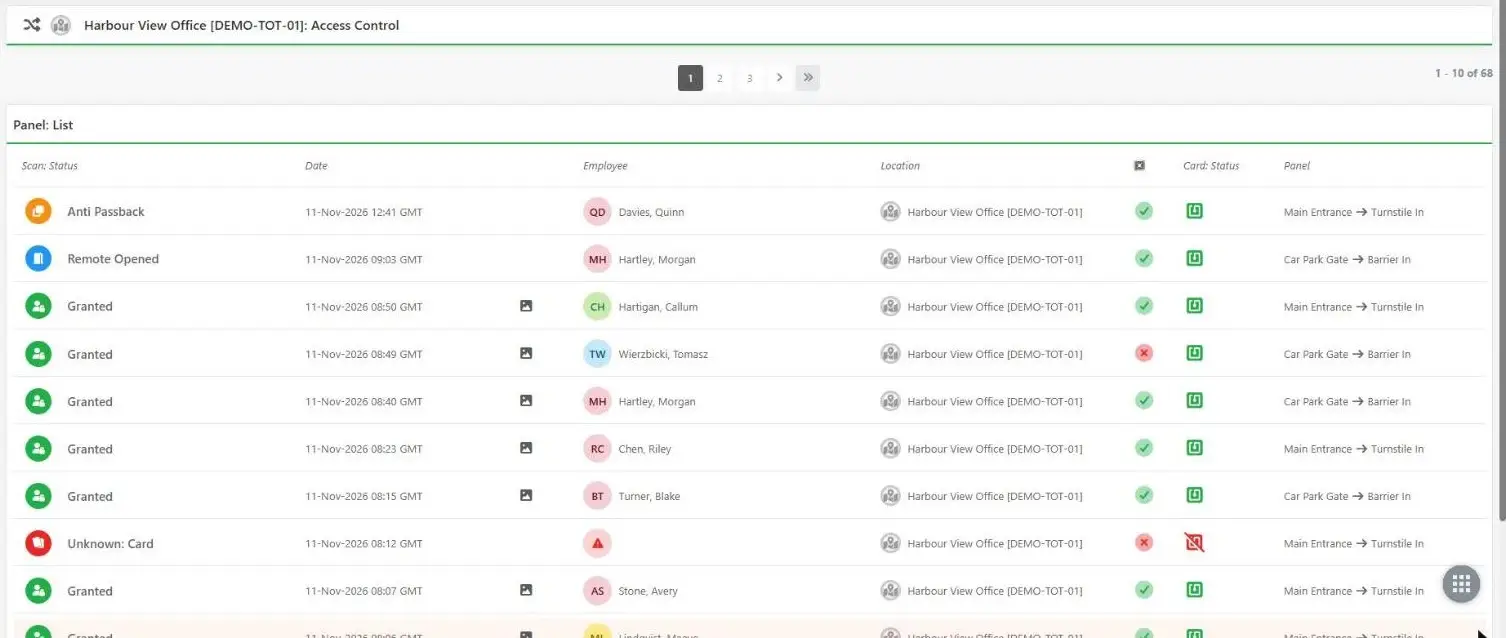
Open a door remotely, and see who came through which door and when, with a photo.
Safety managers
Know who is on site when the alarm goes off, from the same scans.
What it does.
Everything a door needs, run from the same records as your people, training and contractors.
Works offline
Permissions are held on the panel, so doors keep working through a network outage, and every scan is sent once it is back.
Remote unlock
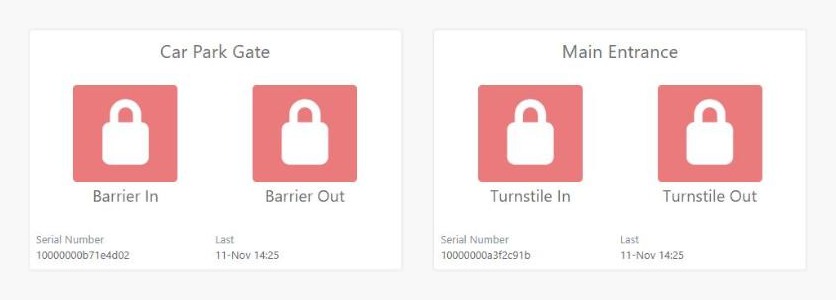
Open a door, barrier or turnstile from FlexManager, with no one at the door.
Photo on every scan
An optional camera takes a picture with each card scan, attached to the log.
Fire alarm link
Wire in the fire alarm and every door opens for a set time while it sounds, and FlexManager is told.
Time windows and anti-passback
Limit access to set hours, and stop a card being passed back to let someone else in.
Muster mode
Set a reader as a muster point, so people tap in at the assembly point for the roll call.
Lights, sirens and barriers
Two spare relays drive a strobe, sounder or barrier on a granted or refused scan.
Looks after itself
Updates install themselves with automatic roll-back, and a watchdog restarts anything that stops.
See it on screen.
What it replaces.
- A leaver's card still opening the gateAccess switched off as soon as someone leaves
- A spreadsheet of who holds which keyOne list of who can open which door, kept in FlexManager
- No record of who came through the doorEvery scan logged, with the door, the time and a photo
- Doors that stop working when the network dropsA panel that decides at the door and syncs later
Up and running fast.
- 01
Fit the panel
Beside the door, wired to your readers, locks and exit buttons.
- 02
Connect it
By network cable or Wi-Fi.
- 03
Grant access
Permissions flow from FlexManager to the panel within seconds.
The specs.
- Doors
- One or two per panel
- Card readers
- Two, standard Wiegand
- Spare relays
- Two, for strobes, sounders or barriers
- Inputs
- Exit buttons and a fire alarm link
- Camera
- Optional, a photo on every scan
- Without a connection
- Decides at the door from permissions held on the panel
- Connection
- Network cable or Wi-Fi
- Updates
- Signed and automatic, with roll-back
- Modes
- One door, two doors, or muster point
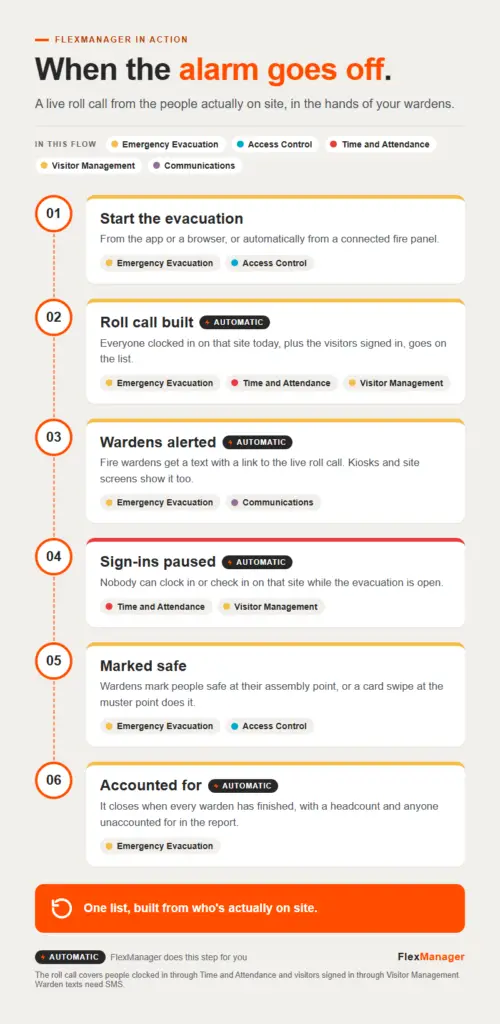 InfographicWhen the alarm goes offAccess Control · Communications · Emergency Evacuation · Time and Attendance · Visitor Management
 Conversation · 4:42McGrathsIncident Reporting · Internal Audits · Subcontractor Manager · Time and Attendance
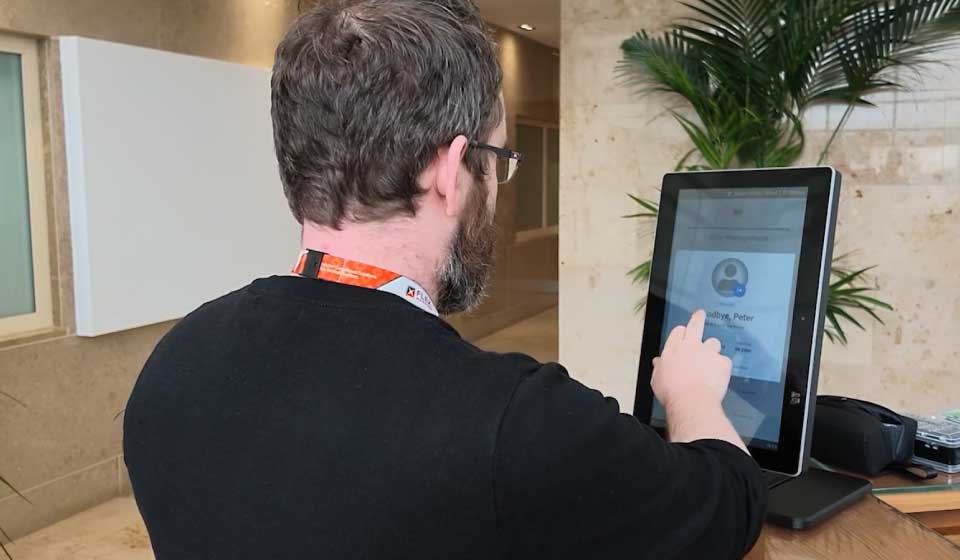 Short · 1:11New FlexManager Kiosks Bring Compliance to the Point of WorkOn-Site Orientation · Time and Attendance · Visitor Management
Works with these modules.
Questions? Answered.
What happens to the doors if the internet goes down?
They keep working. The panel holds the permissions and decides at the door, then sends every scan to FlexManager once the connection is back.
Can we use our existing card readers?
The panel takes two standard Wiegand card readers, so many existing readers can be reused. Talk to a FlexPert to check yours.
What happens in a fire?
With the fire alarm linked, every door opens for a set time and the alarm is reported to FlexManager.
Can access be switched off the moment someone leaves?
Yes. Terminate an employee or deactivate a contractor in FlexManager and their card stops working at every door.
More ways in.
Field workers
The app on the phone in their pocket, online or off.
Learn more TabletsSupervisors
A bigger screen to review and sign off on site.
Learn more KiosksEveryone at the gate
Staff, visitors and contractors sign in, with no app or login.
Learn more NFC tagsEvery asset, every badge
Tap to open the right check, or to clock in.
Learn more GPS trackersEvery vehicle and machine
See where it is, where it has been, and when it leaves its area.
Learn more